+91-9835191927
info@rcginfotech.com
Facebook
Twitter
Google+
  • SEO Services
    • Local & Small Business SEO
    • Contextual Link Building Service
    • Social Bookmarking Service
    • Forum Link Building Service
    • Blog Commenting Service
    • Article Submission Service
    • Content Writing
  • Guest Blogging Services
  • SEO Packages
  • About Us
  • Web Development Services
  • Blog
  • Portfolio

How To Make Your WordPress Site Pinterest Friendly

February 13, 2013Abhishek GargSocial Media

As the social reach of pinterest continues to expand, it is nearer and nearer to securing the top place for sending third party referrals to your site. It is only to your advantage that you facilitate a marriage between pinterest and wordpress. There are several catalysts to this marriage, wordpress plugins that make your site as pinteresteque as is humanly possible. Here is the list of plugins that you can utilize. So, make no delaying in downloading and using these plugins for your wordpress website.

The Obvious Pin It Button (Visit Plugin Page)
Pin It Button

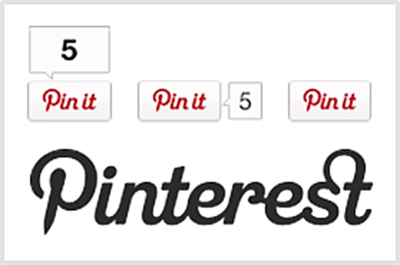
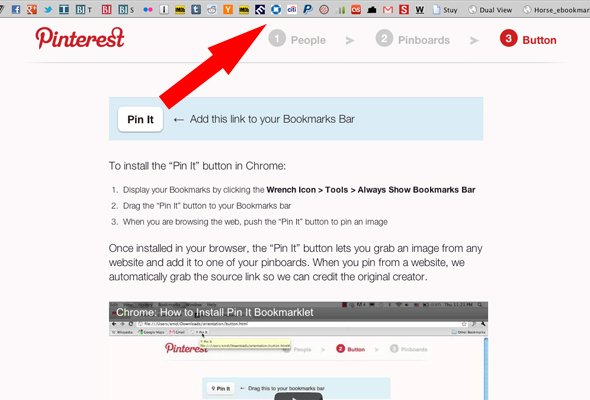
The Pin It button is a must for letting your visitors share the images on your blog in pinterest. You can also use the pin it plugin to help visitors share your posts. Now make sure that your posts are pinned on pinterest using the pin it button.

Pinterest Pinboard Widget (Visit Plugin Page)

Pinterest Pinboard Widget

This simple wordpress plugin enables you to incorporate a pinboard in your sidebar and show thumbnails of your pinterest collection. This is a crafty way of getting the feel of both pinterest and wordpress together. Also, this lets your visitors know about your pinterest interest. This is indeed a great way to display both pinterest and wordpress themes.

Pinterest RSS Widget (Visit Plugin Page)

Pinterest RSS Widget
The necessity of RSS cannot be over emphasized. Everyone knows how crucial RSS is to follow a website. This widget collects the most recent contents of the RSS feed of the pinterest user and shows the corresponding images in thumbnails. This widget allows the user to display the collection of pinterest images to your sidebar, if you want to keep the images in the sidebar, that is. In case, you want to display the collection of pinterest images to other portions of your website, you are welcome to do so with the pinterest RSS widget. You have great control over the images as you can set the width and height of the thumbnails to suit your wordpress theme. Below your images, you can place the follow me on pinterest button, and that too in four different sizes.

WP Pinner (Visit Plugin Page)

WP Pinner
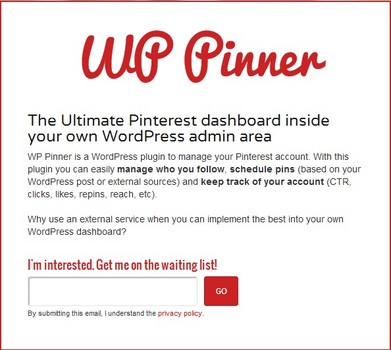
Do you want to manage your pinterest account right from the dashboard of your wordpress blog? You should definitely consider the WP pinner. With the help of this plugin, you can schedule-pin your posts to pinterest or auto post them. Other great features of this plugin include the tracking of repins, CTR, reach, and likes. These analytical tools make this plugin a particular favorite among wordpress users who want to extend their reach to pinterest. The beta access to the plugin is completely free, so why not give it a try immediately?

Pinterest For Galleries (Visit Plugin Page)
Pinterest For Galleries
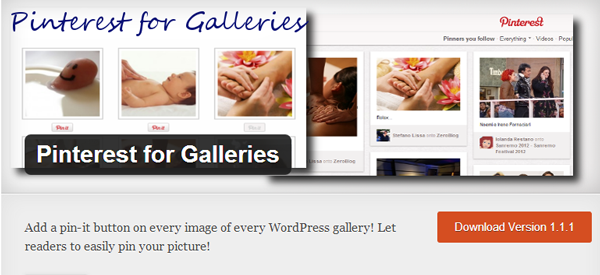
This plugin enables you to add a Pin-It button below every image of your wordpress gallery. However, this plugin may not be functional with other third party galleries on wordpress.

Pin It On Pinterest (Visit Plugin Page)
Pin It On Pinterest
This is quite a basic plugin that allows users to specify which images to pin as well as setting the default description. This also shows the number of times visitors have pinned in your image.

Pinterest Badge (Visit Plugin Page)

Pinterest Badge
This great plugin helps you to display your latest pinned images via pinterest as well as the number of followers that you have. With the prominent red Follow me on Pinterest button, you can actually attract more readers as followers on pinterest.

Pinterest Pin It Button For Images (Visit Plugin Page)

Pinterest Pin It Button For Images
This plugin is slightly different from the other image-pinning plugins, as this allows the Pin It button on the image instead of below it as is the convention with other plugins. The button does not obstruct the view of the image as it only appears on hovering. The URL and description for the pin would follow the post entry.

Pinterest ‘Follow’ Button (Visit Plugin Page)

Pinterest ‘Follow’ Button
This wordpress widget can be easily added to your sidebar. This can also be used as a shortcode to display it elsewhere.

Pinterest Block (Visit Plugin Page)

pinterest block plugin
Finally, a plugin for divorce. Not yours, but between pinterest and wordpress. You can use this plugin to completely block/selectively block the pinning activity on your posts and images. You can actually set which page to block from the settings page or block directly the specific entries.


This is a guest post written by Mark on behalf of FatCow


Categories

  • Link Building
  • SEO Updates
  • Social Media
  • Tech
  • Web Creation
Tweets by @rcginfosoft

About us

RCG Infotech We are a Delhi based company that works online for our valued clients to bring their idea to life. We cover every touchstone of web development, online marketing and mobile application development. read more...

Our Services

  • Online Marketing
  • Web Content Writing
  • Web Development Services

Latest Posts

  • Give Effective Link Building Technique To Derive More Traffic To The Website
  • Google-Approved SEO White Hat Link Building Service For Increasing Website
  • Improving modern website with the SEO Link Building services

Follow us

Facebook
Twitter
Google+
copyright © 2017 RCG Infotech